Users of Windows 11/10/8 may have noticed that Disk Error Checking is a bit different from the earlier versions of Windows. Checking your hard disk, every once in a while for errors – usually caused due to improper or sudden shutdowns, corrupted software, metadata corruption, etc., – in Windows 7 and earlier is always a good practice as this can help solve some computer problems and improve the performance of your Windows computer.
Disk Error Checking in Windows 11/10
Microsoft has redesigned chkdsk utility – the tool for detecting and fixing disk corruption. Microsoft introduced a file system called ReFS, which does not require an offline chkdsk to repair corruptions – as it follows a different model for resiliency and hence does not need to run the traditional chkdsk utility.
Windows found errors on this drive that need to be repaired
At times you may see a message – Windows found errors on this drive that need to be repaired. If you see it, you may want to manually run a scan. Earlier you had to schedule Disk Error Checking for the system drive and for drives that had files or processes or folders opened. In Windows 10/8, error checking starts right away, even on the system drive – and it longer needs to be scheduled at start-up. Only if some errors are found, will you have to restart to let Windows 10/8 fix the errors.
How to run CHKDSK in Windows 11/10
To begin the scan, right-click on the Drive which you wish to check and select Properties. Next, click on the Tools tab, and under Error-checking, click on the Check button. This option will check the drive for file system errors.
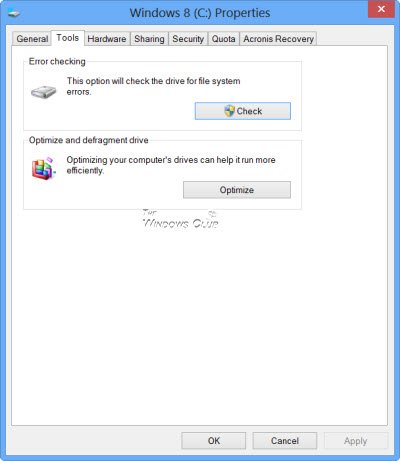
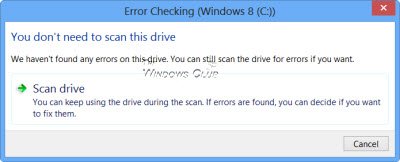
If the system detects that there are errors, you will be asked to check the disk. If no errors are found, you will see a message – You don’t need to scan this drive. You can, nevertheless, choose to check the drive. Click on Scan drive to do so.
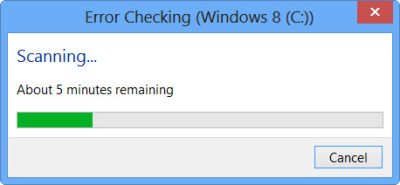
The scanning starts. I found that the process ran quite fast and the scanning was over in less than 5 minutes.
On completion, Windows will display a message. If no errors are found it will say so.
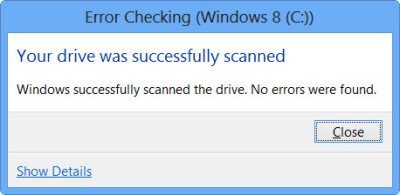
If errors are found, you will see the following message:
Restart your computer to repair the file system. You can restart right away or schedule the error fixing on the next restart.
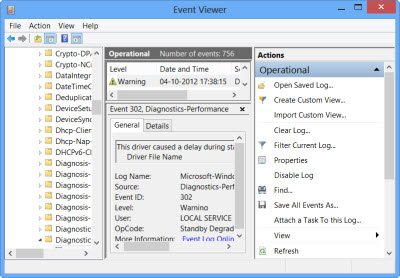
When I clicked on Show Details, the Event Viewer sprang to life, showing me the relevant log.
In Windows 8/10, Microsoft has made the Disk Error detection and correction of file system errors less intrusive so that users can carry on working on their computers without worrying about such errors.
To run Check Disk on your System Drive (C), using the command line, type the following and hit Enter:
chkdsk /f C:If required, restart your computer.
Comments